
Is Your Wi-Fi Secure? Simple Steps to Protect Your Household Online
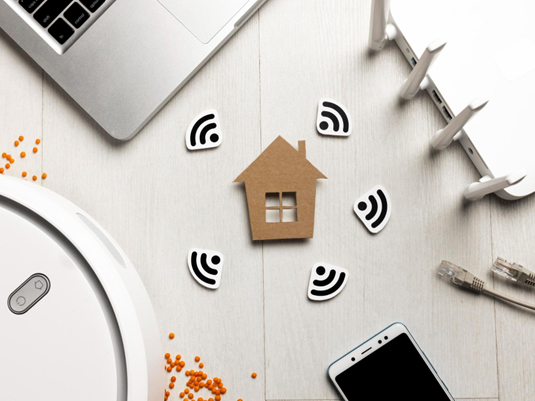
Your home Wi-Fi goes far beyond movies and memes, powering online banking, grocery delivery, access to school portals, telecommuting, smart TVs, security cameras, and your children's devices. A router in the corner powers all of these.
That little gadget is now the digital front door to your home. And if it's unsecured or outdated, it can expose your family to privacy invasion, financial fraud, and device compromise without any obvious warning signs. The good news is you don't need any technical know-how to secure your Wi-Fi with a few simple steps every household can take.
Why Home Wi-Fi Safety at Home Matters More Than Ever
Every online payment you make, every school login, every streaming account, every work email, and every smart home gadget in your house all pass through one thing: your router. It is the unsung hero of everything from online banking to video calls and gaming consoles, quietly managing it all in its unflashy way.
If that connection is secure, your household sails along like a dream, ensuring Wi-Fi safety at home. If that connection isn't, everything on it is at risk.
An unsecured router gives cybercriminals free access to your home, allowing them to snatch personal details, reroute you to fraudulent sites, or tap into devices connected to your network without your knowledge. Most families only discover there's a problem when they start to see suspicious charges on personal accounts.
The Hidden Risk: How to Remove Router Malware
Most of us protect our phones and laptops, but neglect router security. Router malware is a sneaky software that infects your router rather than a single device. Once in, it can intercept internet traffic, direct you to fake sites, steal login details, or monitor activity across your entire network without you knowing. As it operates at the network level, it can go undetected for months. Knowing how to remove malware from a router becomes critical. The Moonlock guide on router malware shows how hackers can take control of your home connection and do all of this without you even knowing. It also guides you through removing it.
As for signs, it happens quickly. Maybe you notice your internet is a little slower than usual. Or your connection drops unexpectedly from time to time. Maybe random devices begin connecting to your Wi-Fi. If the router is hacked, the attacker has access to anything in your residence that is connected to it.
5 Simple Router Security Tips
You don't need to be a tech expert to fortify your home network. A few router security tips can dramatically lessen your risk and protect every device connected to your Wi-Fi.
- Change the username and password on your router. Many people leave their routers with factory settings that hackers know about. Choose a unique, strong password and write it down where you can find it if you forget it.
- Check for firmware updates. Router manufacturers regularly release updates to remove security holes, but they're useless until you install them. Sign in to the router's settings and enable automatic updates, if available.
- Make sure your encryption is set to WPA3 (or at least WPA2). Older standards are far easier to crack. This will typically be in your wireless or security options.
- Disable remote management. This will allow people to connect to your router from outside your house, creating a possible break-in point.
- Set up a separate guest network. Keeping them off your main network adds an extra layer of protection for work computers, banking, and personal data.
Make Securing Home Wi-Fi a Household Habit
Knowing how to protect your Wi-Fi network doesn't have to feel overwhelming.
It all starts with knowing when to reset your router. If you have experienced persistent glitches, see unknown devices on your network, or have found that someone logged on to your account without your knowledge, a factory reset clears the playing field and brings your settings back to a known safe state.
Resetting is also helpful after major updates or if you haven't changed the default login credentials since setting up your router, as this is a surprisingly common oversight that leaves many people vulnerable.
To keep risks low without triggering any stress, treat Wi-Fi security like most other home tasks. Once a month, log in to your router settings. You can typically do this from your phone or tablet.
Then, check for new firmware updates, review which devices are connected, confirm your encryption setting is the strongest available, and change your passwords. This five-minute checklist ensures that any little things stay little, and regular checks are highly recommended in home network security guides compiled by many cybersecurity experts.
Conclusion
Your router may be small, but it protects one of the biggest parts of family life: your digital life. Updating your settings, strengthening your passwords, and spending a few minutes reviewing the rest of your network could keep you out of serious trouble later.
Make it a simple habit to secure your home Wi-Fi, and you turn your router from a hidden vulnerability into a strong first line of defense for your household.
image credit Freepik.com



MORE
FEMALE.COM.AU
CONTACT US
FOLLOW US ON